
Receipts
A proper receipt for every payment
Nfelia is a receipt maker that works the way you sell. The moment you record a payment, in cash, by transfer or on POS, the receipt is made, numbered and ready to send on WhatsApp. Full payment or a deposit, walk-in or regular customer, every naira has its receipt.


You never sit down to “make” a receipt
Receipts come out of the money you record. There are three ways money comes in, and each one makes its receipt by itself.
The screens on this page are from Ivie Luxe Hair, an example business in Lekki.
A sale in the shop, paid in full
Tap New order, add the items and choose Paid now. For someone you don’t know, pick Walk-in customer: no name needed when they pay in full. The order, its invoice and the receipt are made in one go, and the items come off your stock.
A deposit now, the rest later
Choose Part now and type what they paid. That payment gets its receipt, showing the amount received and the balance remaining. When the rest comes in, record it on the order or from Debts, and that payment gets its own receipt too.
An order from your website
The customer pays into your account and attaches a screenshot of the transfer. Check it against your bank app, then confirm the order: the invoice and the receipt are made together. See your own website.
What the receipt says
A receipt from Nfelia looks like it came from a big shop, because it has everything a careful customer, or their boss, looks for:
- Your logo and colours with your business name, address and phone number.
- Its own number like IVL-REC-301: your letters, REC, and a number that counts up.
- Who paid, when and how cash, bank transfer, POS, mobile money or cheque.
- What it was for the order and the invoice it pays, so anyone can see what the money bought.
- Amount received and balance remaining so a deposit receipt says exactly what is still to pay.
- A code anyone can check with a QR code. Typed at nfelia.com/verify, it shows the receipt is genuine.
Want it signed? In Settings under Signatures, receipts can carry a stamp or your own drawn signature for the business.
Send it, print it, or let them keep it
Every receipt has a private link. Open the receipt in Nfelia and tap:
- WhatsAppA chat opens with the message written: “Thank you for your payment of …”, the receipt number, any balance, and the link.
- Share PDFThe PDF itself, through your phone’s share sheet, on phones that can share files.
- Copy linkFor SMS, Instagram or email.
- Download PDFTo print for a customer at the counter.
Your customer can open the link any time and download the PDF themselves, on any phone, with no app.
Every receipt in one list, every naira accounted for
Receipts sit under Orders, next to your invoices and quotes. At the top is what came in this month and how many receipts that took. Search by customer or receipt number, and sort by date or by amount.
- Money-in alerts when someone on your team records a payment, you and your admins hear about it on your phone or by email, as you choose.
- Receipts stay with their payment a receipt for a payment on an order can’t be deleted on its own, so your records stay honest.
- Paid in advance money a customer leaves with you for their next order gets a receipt too, and you can use it when they order.
- Ready for the bank every receipt goes into your Records Book, each with its own code.
The Records Book puts all your receipts, invoices and payments in one Excel workbook anyone can check: see the Records Book. To see what is left after spending, see expenses and profit.
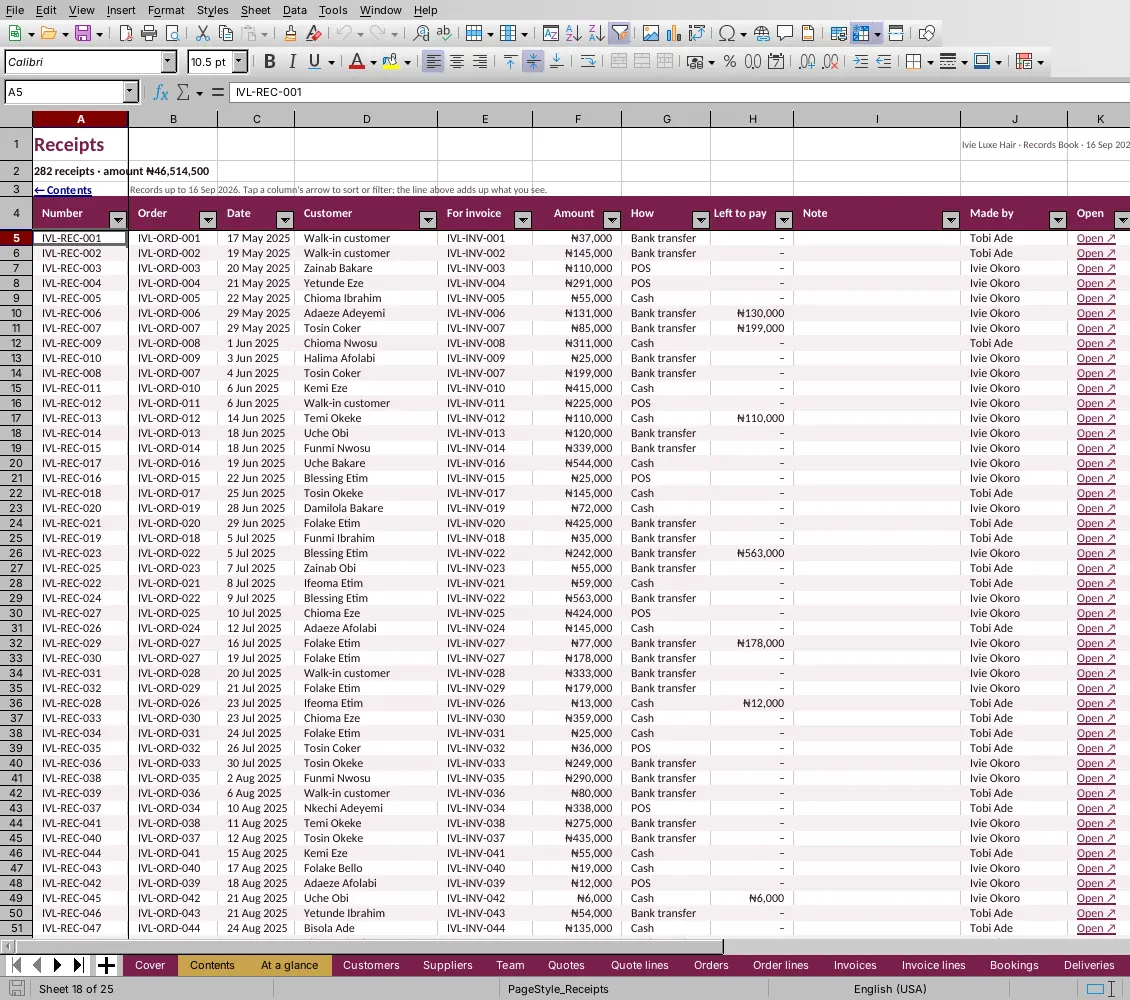
The Receipts sheet of Ivie Luxe Hair’s Records Book, an example business, opened in LibreOffice.
Who it helps
Anyone whose customers say “send me receipt”.
- Phone and gadget shopsA receipt with the model on it, for warranty and for peace of mind.
- SalonsA receipt for the booking deposit, made when you confirm the booking.
- Fashion designersDeposit at measurement, balance at pickup, both on record.
- Online sellersTransfer in, receipt out, without scrolling back through chats.
Questions people ask
Can I give a receipt to a walk-in customer?
Yes. On a new order, pick Walk-in customer and choose Paid now. No name is needed when they pay in full, and the receipt is made straight away.
Can I give a receipt for a deposit or part payment?
Yes. Each payment gets its own receipt, showing the amount received and the balance remaining. When the balance is paid, that payment gets its receipt too.
Do my customers need an app to see the receipt?
No. The receipt opens from its link in any phone’s browser, and they can download it as a PDF from there.
Can I print receipts?
Yes. Tap Download PDF on any receipt and print it, or send the PDF to a printer from your phone.
Can someone check a receipt is real?
Yes. Every receipt carries a QR code and a code. Anyone, like a customer’s employer or a bank, can type it at nfelia.com/verify to see that the receipt is genuine and which business it is from.
Can I put my logo on receipts?
Yes. Add your logo and colours in Settings, and every receipt, invoice and quote wears them.
Send a receipt the moment you are paid
Use everything free for 14 days. No card needed. Free setup help on WhatsApp.