
Tasks and reminders
Never miss a delivery, fitting or payment date
Tasks & Calendar is the business reminder app inside Nfelia. Your own tasks and appointments sit on one list with the dates Nfelia already knows: deliveries you promised, money due, orders to confirm. It reminds you on your phone and by email, and sends you your day early each morning.
Part of Nfelia. Free for 14 days, no card needed.


One list for the day
The Tasks tab shows what is late, what is due today, the next seven days and your jobs in progress. A countdown says how many days are left. The Calendar tab shows the month, with a coloured dot for each appointment, task, delivery, money date and quote.
Type a task under Add a task, pick when, and tap Add. Tick it off when it is done.
Screens from example businesses.
Dates Nfelia already knows
You don’t type these in. They come from the rest of Nfelia and clear by themselves when the money comes in or the goods go out.
- Deliveries you promised on an invoice or an order, and delivery notes on their way
- Invoices due and customers who promised to pay, with a polite WhatsApp reminder ready to send
- Suppliers you said you would pay, on the day you promised
- Quotes waiting for an answer or about to run out
- Shop orders waiting for you to confirm them
- Products running low, to restock
Reminders that reach you
The bell at the top of Nfelia always shows what is due. Choose how else Nfelia reaches you in Set up reminders, on the Tasks page.
Your morning plan comes at 7am Nigeria time (6am in Ghana, 9am in Kenya) on days with something on: your appointments, tasks, deliveries and money due, by email and on your phone. Days with nothing on send nothing.
Reminder times follow Nigeria time (WAT) for now, the same as Cameroon’s. In Kenya they come two hours late and in Ghana an hour early.
- At the time you choose. Any task or appointment can remind you at the time, 15 minutes, 1 hour or 1 day before. A task with no time reminds you at 8am, on the day or the day before.
- On your phone. Your phone buzzes at the reminder time, even with Nfelia closed. On iPhone, add Nfelia to your Home Screen first.
- By email. An email at the time you chose, if you want one.
- Quiet when you rest. Turn on quiet hours in More › Notifications and your phone won’t buzz at night. Everything still waits in the bell.
Plan a job in one go
Tap Plan a job, pick a plan and the day you must finish. Nfelia adds the steps with dates, counted back from that day. Change any of them, give the job to someone on your team, and link it to an invoice so the delivery step marks the invoice delivered.
| Plan | Steps it adds |
|---|---|
| Sewing job | Take measurements, buy fabric and materials, fitting, ready for pickup, deliver |
| Customer order | Confirm payment, get the goods ready, deliver |
| Event | Collect the deposit three weeks before, book vendors, confirm guest numbers, collect the balance, set-up, event day |
| Supplier order | Pay the supplier, check it is on the way, goods arrive, add the new stock to Nfelia |
| My own steps | Start from a blank plan and write your own |
Work as a team
Give any task or job to someone on your team under Who is doing it? They hear about it straight away, and you hear when they finish. Switch between Everyone and Mine to see the whole plan or just your own work. Each extra person on your team is ₦5,000 a month.
- Staff see the plan, not the money. Invoices due and debts stay with the owner and admins.
- Repeats. Rent, market day, a weekly stock count: set a task to repeat every day, week or month.
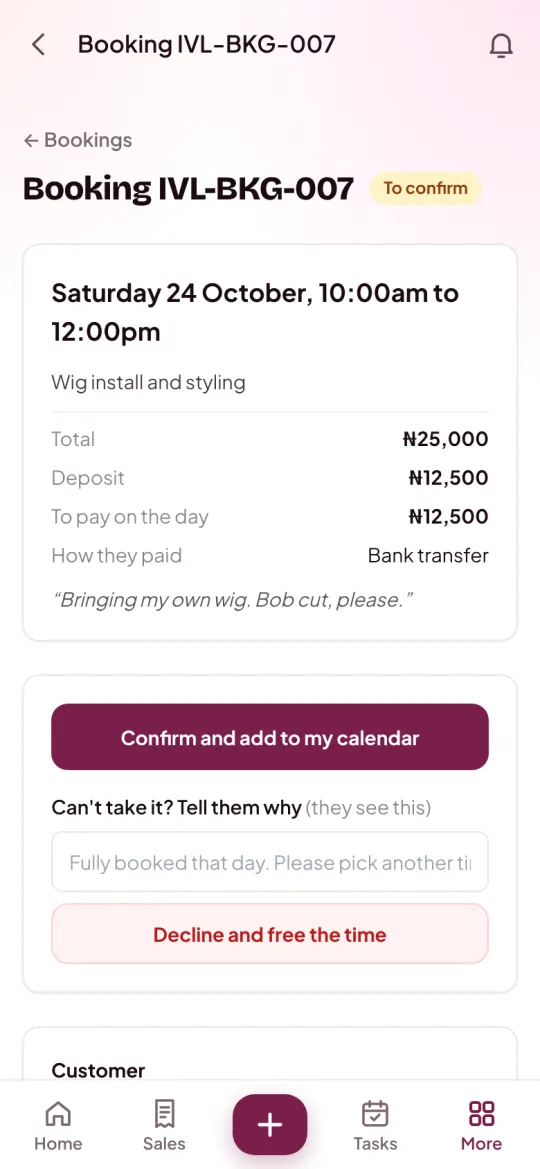
- Bookings fill in by themselves. A booking you confirm goes on the calendar as an appointment, with a reminder an hour before when it has a time.
Who it helps
Anyone juggling deliveries, fittings, events and money due in their head.
Fashion designers
A sewing plan from measurements to delivery, with the fitting on your calendar.
Read about Fashion designersEvents and décor
An event plan from the deposit to the big day, step by step.
Read about Events and décorSalons and beauty
Appointments and bookings on one calendar, with a reminder before each.
Read about Salons and beautyFood and catering
Every delivery day and party date, sent to you each morning.
Read about Food and catering
Questions about tasks and reminders
Will it remind me when Nfelia is closed?
Yes, once you turn on phone notifications in Set up reminders: your phone buzzes at the reminder time even with Nfelia closed. On iPhone, add Nfelia to your Home Screen first (tap Share, then Add to Home Screen). Email reminders work on any phone. See how to install the app.
Do I have to type in my deliveries and payments?
No. A delivery date on an invoice or order, an invoice’s due date, a customer’s promise to pay, a quote’s end date, a new shop order and low stock all show up by themselves, and clear when they are done.
What is the morning plan?
On days with something planned, Nfelia sends you the day at 7am Nigeria time (6am in Ghana, 9am in Kenya), by email and on your phone: appointments, tasks, deliveries and money due. Days with nothing on send nothing. Switch either off in Set up reminders.
Can I give tasks to my staff?
Yes. Pick who is doing it and they are told straight away. Staff see the plan and their own work, but not invoices due or debts.
Can a task repeat?
Yes: every day, every week or every month. A monthly task keeps its day, so the 31st comes back on the last day of a shorter month.
What does it cost?
Tasks and the calendar are part of Nfelia: ₦10,000 a month in Nigeria, with your website, invoices and receipts included. Free for 14 days, no card needed.
Let Nfelia remember the dates for you
Use everything free for 14 days. No card needed. Free setup help on WhatsApp.